Features
What CareDots does for you.
The six things that matter most when you run care programs: Chief and its playbook, the AI scribe, enrollment, care plans, billing and reports.
1 · Chief and its playbook
Ask in plain words. Chief does the job.
Type or talk to Chief in NurseDot. It works on one patient or your whole workspace: it plans the work, waits for your approval, runs it with the helper dots and reports back.
YouBook Maria for Tuesday at 10.
YouWho still owes a PHQ-9? Remind them.
YouSend the HRA to everyone with a wellness visit next week.
YouCreate a follow-up task for anyone with GAD-7 over 15.
YouText Linda: see you tomorrow at 10:30.
YouAdd this medication from the photo.
Scheduling
"Book Maria for Tuesday at 10." Chief books, cancels and confirms visits, and sends the booking link.
Assessments
"Who still owes a PHQ-9?" Chief finds pending or high-scoring forms and sends reminders after you approve.
Outreach
Calls, texts, emails, app messages and education, to one patient or a whole list.
Tasks and notes
Chief creates tasks and drafts care notes for your team to review.
From a photo
Snap an insurance card or a medication label and Chief adds it to the patient.
You stay in charge
Lists only show patients. Anything that sends waits for your yes, typed or spoken.
2 · AI scribe
Every call and visit, written up for you.
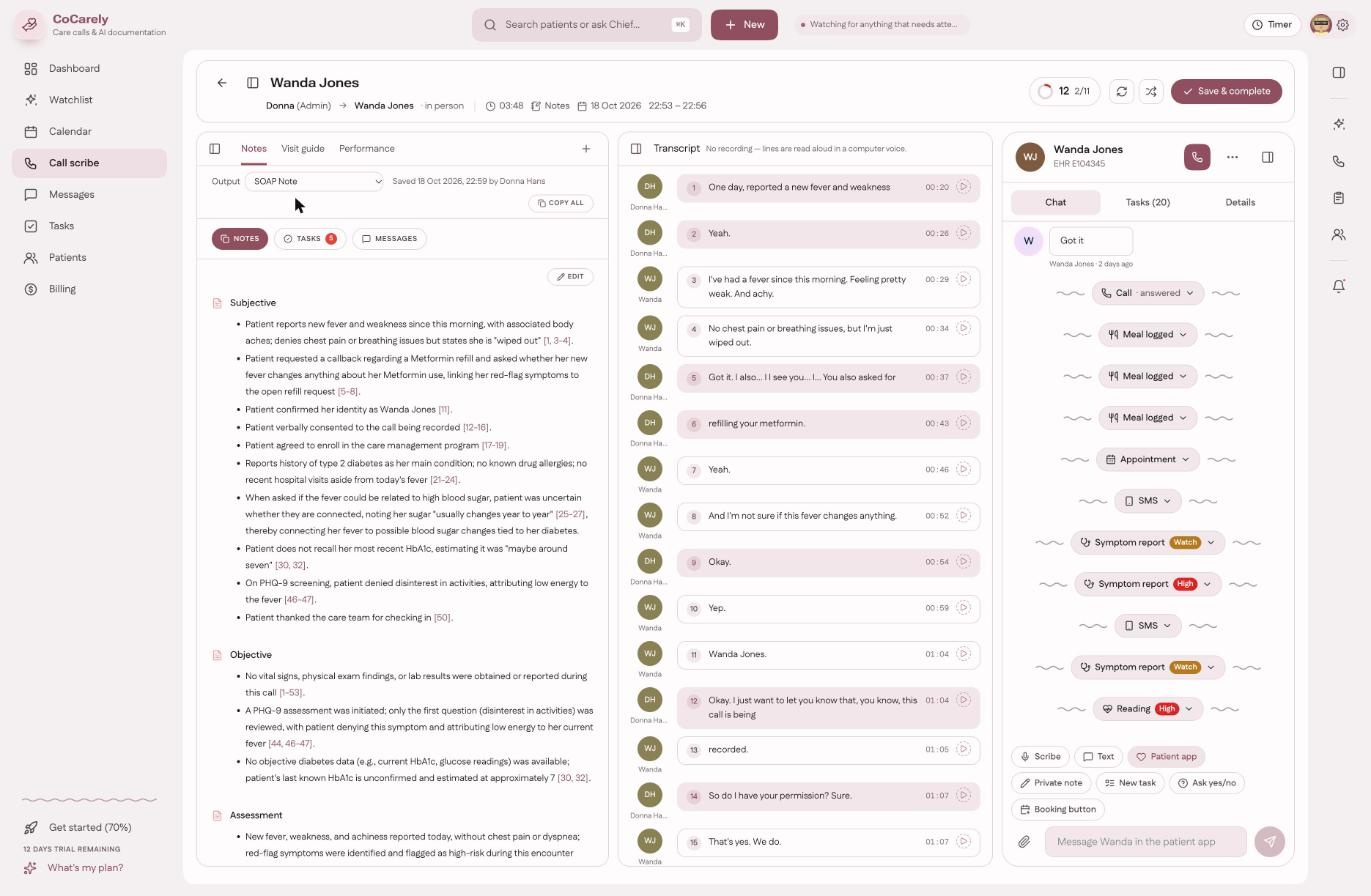
Record a call or a visit. The scribe pulls out what matters and checks how the call went.
Notes
A draft note in the format you choose, ready when the call ends.
Extraction
Medications, problems and other details it heard are offered for the profile. Nothing is saved until someone taps Add.
Tasks and messages
Follow-up tasks and a patient message are drafted from the conversation.
Call quality
Each recorded call gets a quality score for coaching. Admins see the team's; everyone else sees their own.
3 · Program enrollment
Find, consent, enroll. Without the phone marathon.
For CCM, PCM, RPM, BHI and APCM.
Identification
Eligible patients are found from their chart: conditions, visits and payer.
Consent
Chief makes the consent call from your practice number and records the patient's answer.
Enrollment
Consented patients join the program and get PatientDot from a link.
First visit
Chief books the first appointment and sends the links.
4 · Care planning
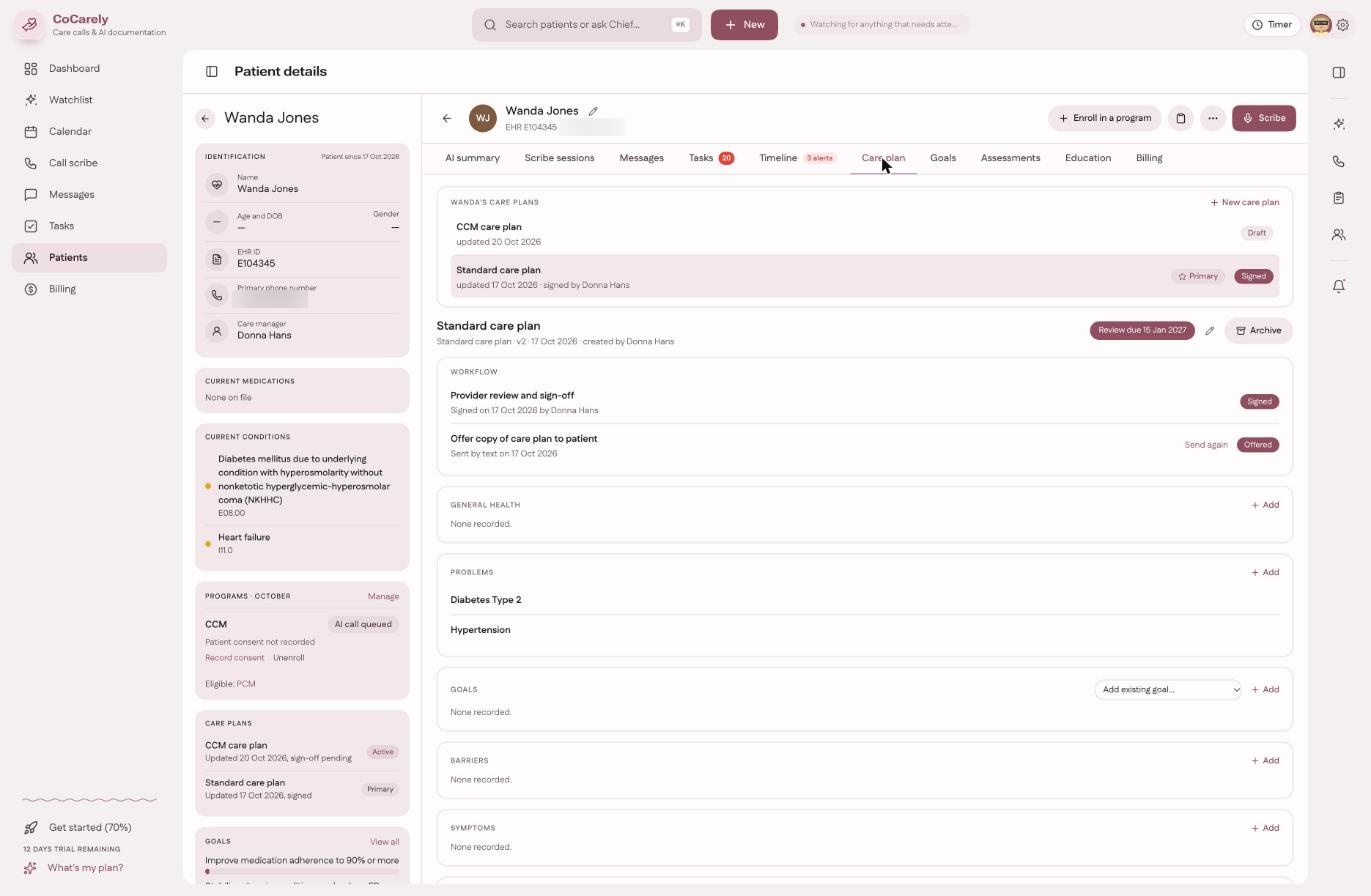
Care plans drafted for you, signed by your clinician.
Start from a template or let Chief draft one from the chart. Your clinician reviews and signs it, then it goes to the patient's app with goals, lessons and reminders.
5 · Billing
Know what each month will bill.
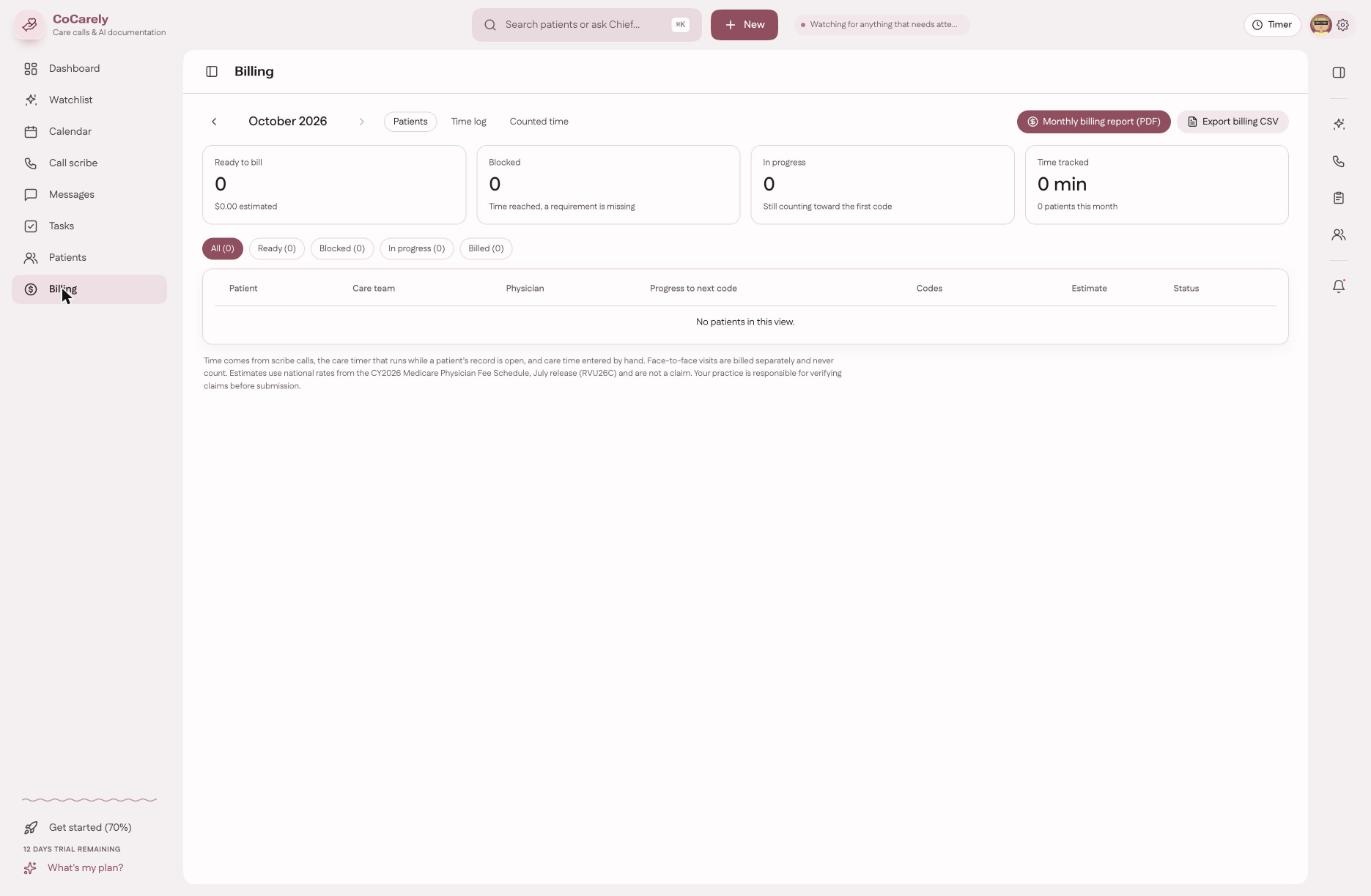
A care timer counts time toward each code. The Billing page shows every enrolled patient's programs this month, what they earned and what still blocks a claim. A billed claim keeps what was billed.
6 · Reports
Ready to print, ready to file.
Care report
One patient's month: time, contacts and care delivered.
Billing report
The codes and time behind each claim.
Month report
The whole practice's month, program by program.
Save as PDF
Every report opens as a clean page you can print or save.